How to Ask for Help on Slack
Follow these steps to get help in CIS 106.
Tutoring for all CIS courses is available in Room H311 (Hamilton Building, Main Campus). However, because tutor availability is not always guaranteed, I provide assistance for all assignments via Slack and Zoom (some restrictions apply).
🛑 Policy on Challenge Questions
Challenge Questions are designed to test your independent problem-solving skills. As such, you may not ask for help on these questions in Slack, Zoom, or via tutoring. These must be completed entirely on your own.
Steps to Get Help
- Install Slack: Download the Slack desktop app. Please avoid the web version, as it lacks important features and performance.
- Join the Workspace: Ensure you are in the correct Slack workspace (completed in Weekly Report 1).
- Post in a Public Channel: Before sending a Direct Message (DM) to the instructor, you must ask your question in one of the following public channels:
- #labs-help: For labs, weekly reports, and notes.
- #final-project-help: For questions related to the final exam/project.
- #general-issues: For any other technical issues.
- Use This Format:
- Greeting:
Hello Team, I am having an issue with Lab [N]... - Explanation: Briefly describe the issue and what you were doing when it occurred.
- Your Troubleshooting: List what you have already tried (research, AI, re-reading instructions). This prevents us from suggesting things you’ve already done.
- Visuals: Provide screenshots (not photos taken with your phone). High-resolution screenshots are necessary for me to read your terminal text or error codes.
- Greeting:
Example Post
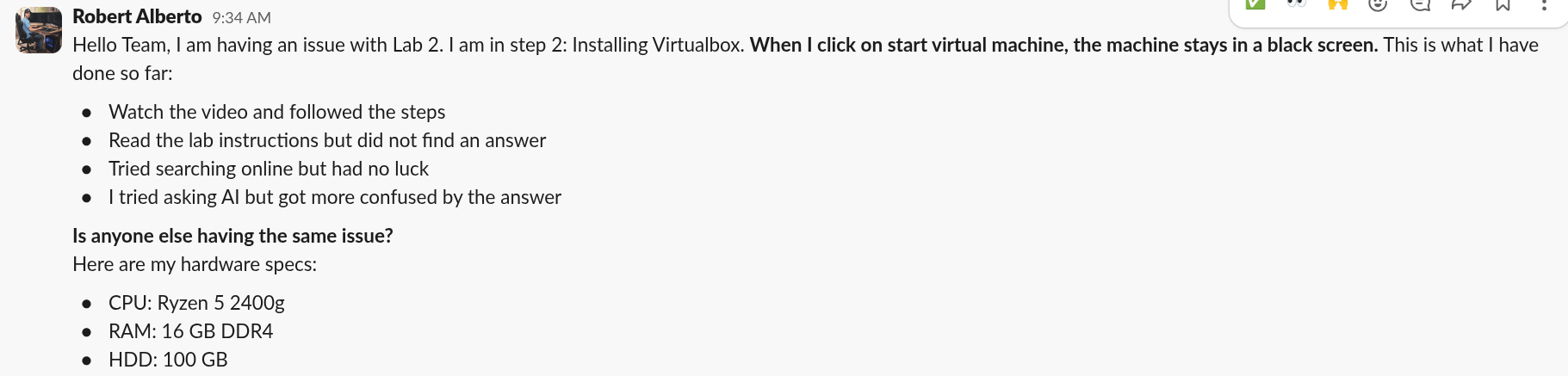
Hello Team, I am having an issue with Lab 2, Step 2: Installing VirtualBox. When I click “Start Virtual Machine,” the screen remains black.
What I’ve tried:
- Followed the steps in the video.
- Re-read the lab instructions.
- Searched online for “VirtualBox black screen.”
- Asked AI, but the answer was too complex.
Hardware Specs:
CPU: Ryzen 5 2400g RAM: 16 GB HDD: 100 GB
If You Don’t Get a Response
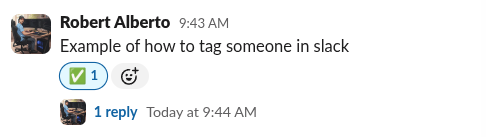
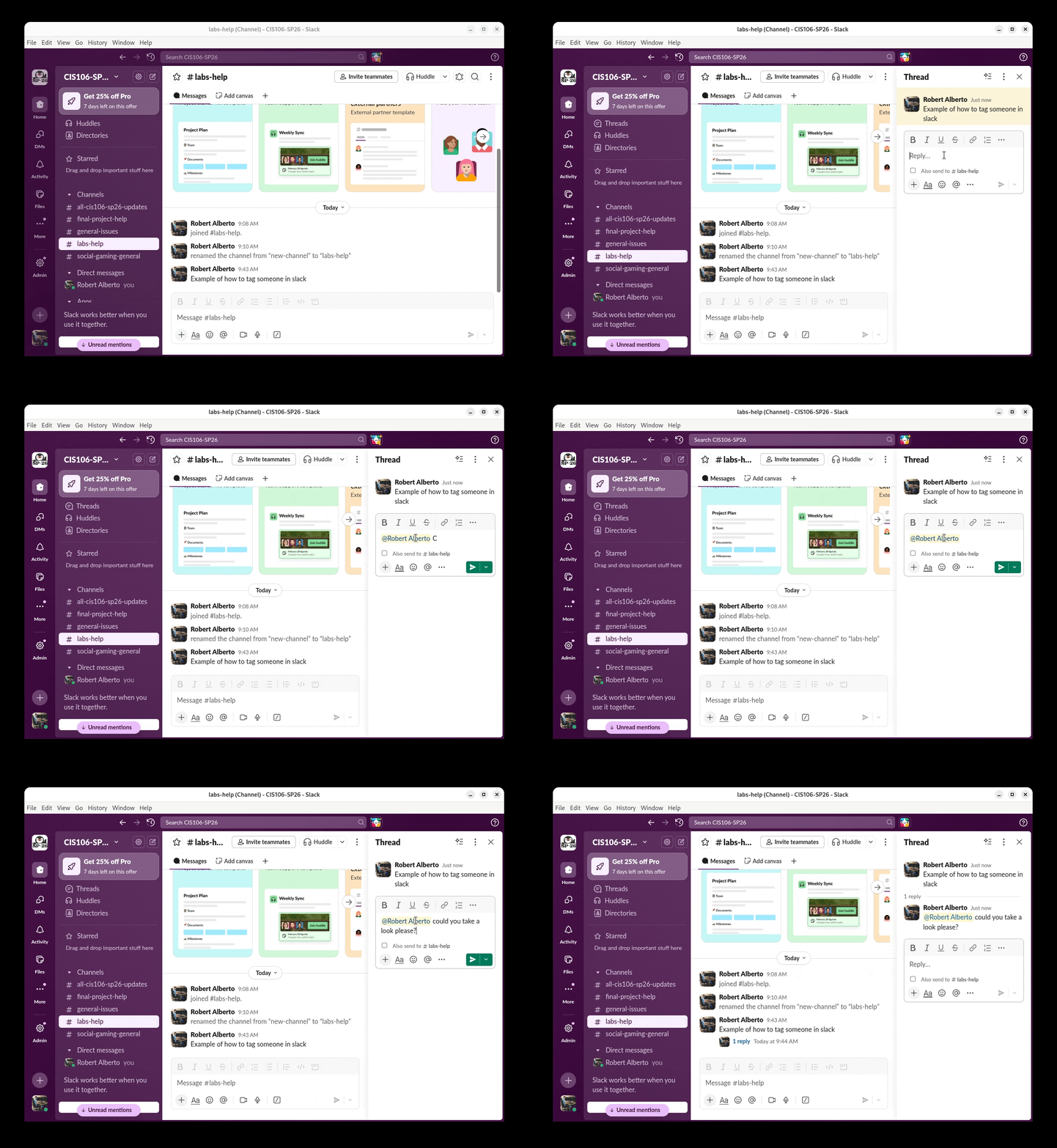
If no one responds within 15 minutes, please tag me using the @ symbol followed by my name.
Extra Credit Opportunity
Any student who provides help in a public channel will receive 1 point of extra credit, provided the contribution helps solve the issue.
To claim points:
- Once the issue is resolved, ask the original poster to react with the “Completed” emoji (check mark).
- DM me the link to the post so I can record your credit.